
BIM & IFC review, on device
Open a federated IFC model on your iPad, and actually review it.
IFC Canvas is a touch-first BIM review and coordination tool built natively for iPad. Walk the building by storey, grid, and space, raise BCF issues, and keep everything on your device: no desktop, no sign-in, no waiting on the cloud.
Processed on your iPad · No upload
100% on-deviceNothing you open leaves your iPad.
Works fully offlineBasement, jobsite, or plane.
IFC, IFCZIP and BCFOpen standards, round-tripped.
No account, no trackingThere is no backend to opt out of.
A real review workflow, not just a viewer.
Navigate like a BIM pro
Storeys and levelsPick a level, isolate it, or drop into a top-down plan view with a per-level section box.
Structural gridsLabeled axes in 3D and on plans. Tap an axis for an instant orthographic elevation, or section by grid.
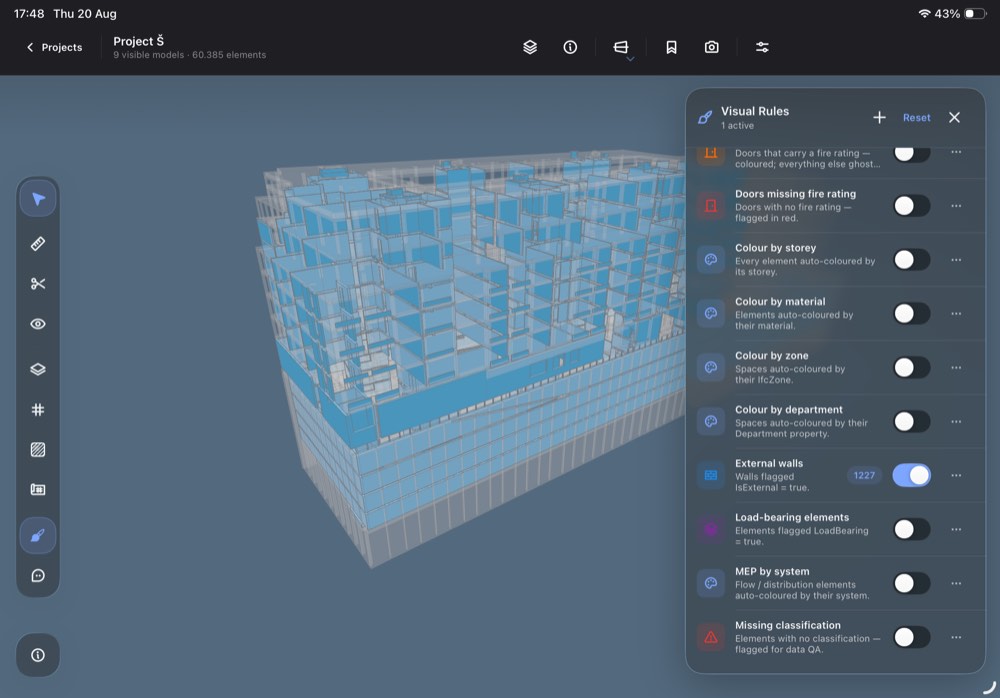
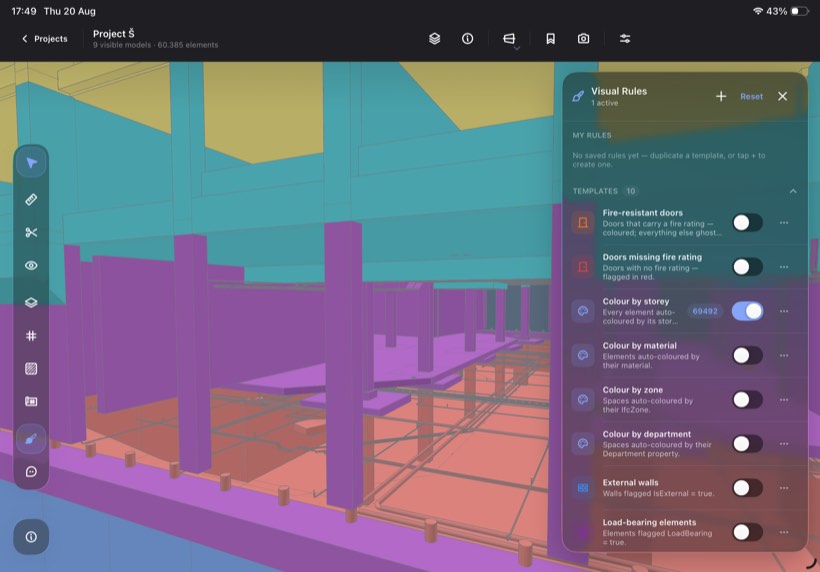
Spaces, rooms and zonesColor by zone or department to read the program at a glance.
Coordinate and raise issues
BCF in and outImport and export BCF and BCFZIP to round-trip with the rest of your team's tools.
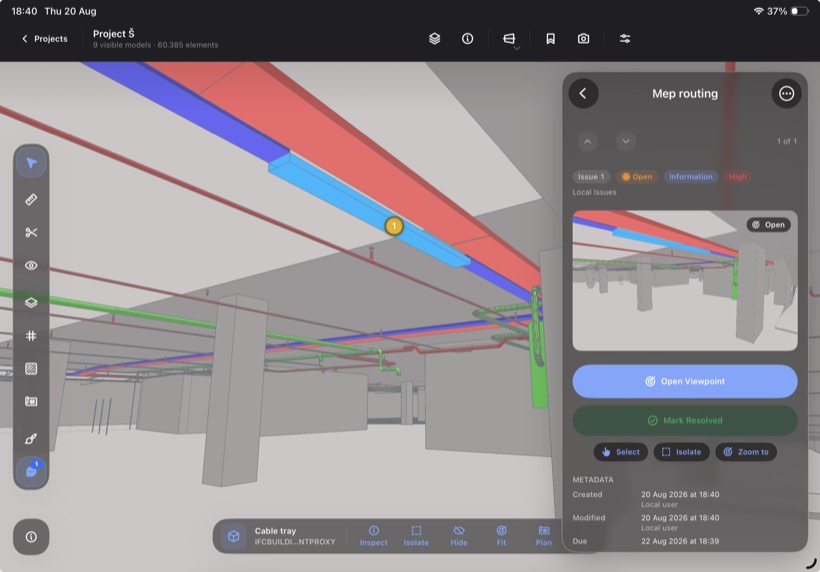
Issues from the current viewA new issue captures the snapshot, the viewpoint, and the elements you link to it.
Work the panelFilter by status, priority, type and assignee; thread comments; roll issues up into a PDF.
Everything a review needs
The full toolkit works in every session, including a free single-file one.
Properties and model treeTap any element for its full properties; browse the whole hierarchy.
Hide, isolate, show allCut through dense geometry; filter by storey.
MeasureDistances and spans, snapped to real geometry.
Section boxClip the model to exactly the slice you are arguing about.
Native 2D floor plansReal plans per level with correct elevations, not screenshots of the 3D view.
Visual rules and outlinesColor by property, with crisp object outlines throughout.
Private by design.
IFC Canvas runs entirely on your iPad. There is no server side to trust, because there is no server.
No cloud, no account
Nothing to sign in to and no backend to opt out of. Models parse and render on the device itself.
Offline is the default
Everything works with the radio off: in the basement, on the jobsite, on a plane.
Your data stays yours
Nothing leaves the device except the files you explicitly export yourself.
Free to try. Subscribe to keep the work.
Opening and reviewing a single IFC or IFCZIP file is free, forever.
Everything is unlocked for your first 7 days after install
SINGLE-FILE
Work from a free session is not kept after the file is closed.
Download free
Freeforever
Open one IFC or IFCZIP file at a time
The full review toolkit: levels, grids, spaces, plans, measure, section, visual rules
BCF import, authoring and export inside the session
IFC CANVAS PRO
$9.99/ month
or $99.99 / year
Projects workspace: federate several discipline models into one project
Projects persist: models, saved views and issues stay put between sessions
ARC
STR
ELE
HVA
PLB
If a subscription ends, projects turn read-only. You can still export every model and every issue, free of charge.
Get the app
Take the model to the site.
iPad-only, iPadOS 26 or later. Nothing to install on a desktop, nothing to sign in to.
 Free single-file review · Pro subscription for federated projects